
Go live
Switch your Payment environment to Live when you are ready to accept real payments. This is the one step that changes what a customer's payment actually charges.
Before switching
- Sandbox test done. You completed Test a payment and tried the features you plan to use.
- Live business verified. Identity verification in Whop is underway or complete, covered in Get your Live business.
- A Live API key with all 21 permissions, created the same way.
- Your WHMCS System URL is your installation's public HTTPS address, the one your customers actually use.
- WHMCS's cron job, the scheduled task that finishes payments and delivers updates, runs on its normal schedule.
1. Connect the Live key
- Open System Settings > Payment Gateways > Whop Payments > Step 2: Connect Whop to WHMCS (older WHMCS versions call this menu Setup).
- Paste your Live API key into the Live card and choose Connect.
- Check that the business name shown is the one you claimed or prepared.
- Resolve any findings shown, then choose Check connection until the card reads Ready.
Done: the Live card reads Ready.
2. Switch to Live
- Set Payment environment to Live.
- Click the native Save Changes button.
- Confirm the Live card now also reads In use. Sandbox stays Ready, but is no longer In use.
Done: the Live card shows both Ready and In use. From this point, every new payment request uses Live.
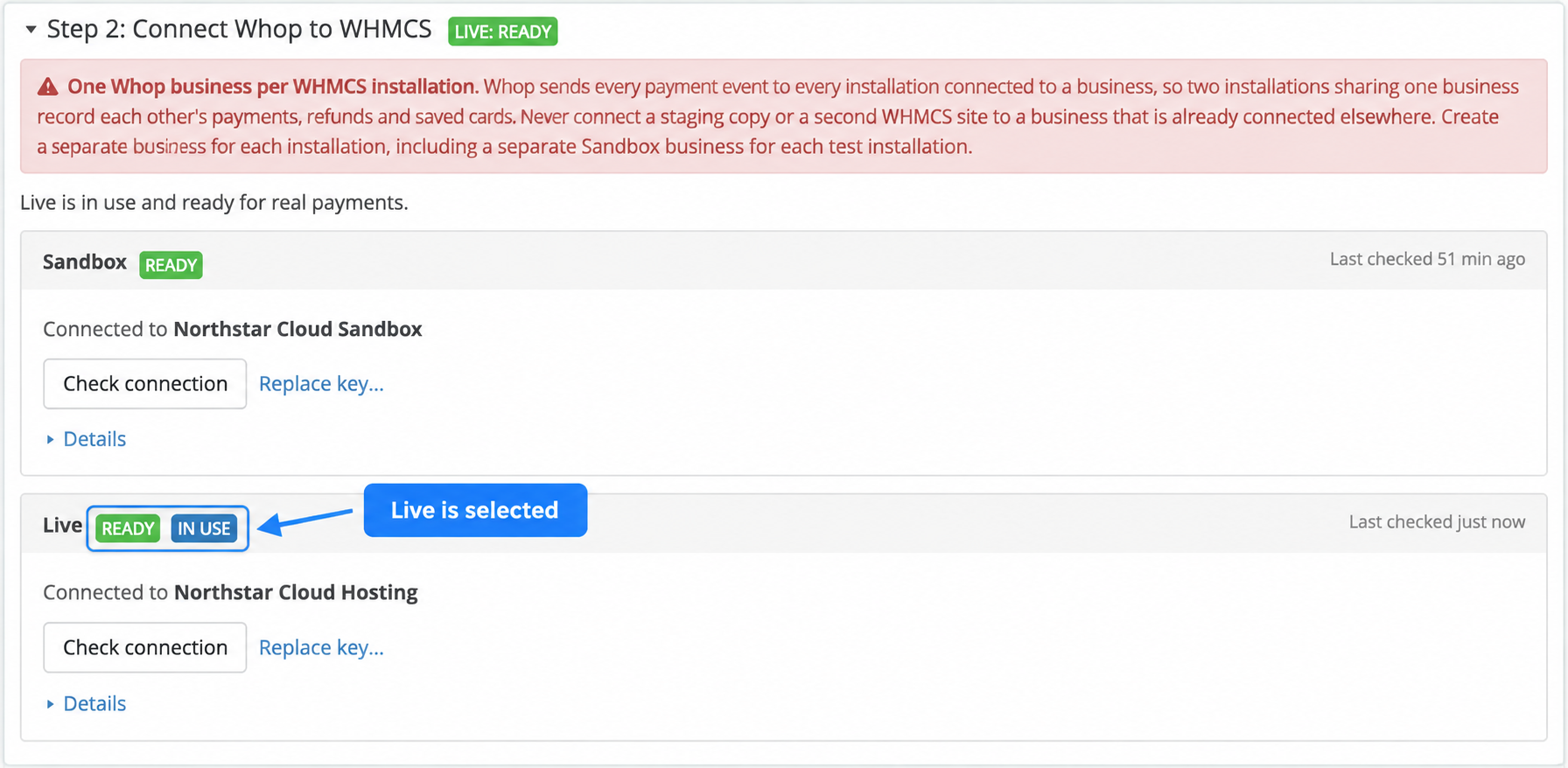
Live: Ready and In use confirm that newly created payment requests will use the Live business.
3. Check the first real payment
Wait for the first genuine customer payment, or make one small real payment yourself if you want to check it firsthand. Compare it in both places:
- In WHMCS, open the invoice. It should read Paid, with one transaction whose ID starts with
pay_and the same amount and currency as the invoice. - In the Live Whop business, find the same payment by that
pay_ID and confirm the amount, currency and fee match.
A payment you make this way is a real charge and can carry a processing fee.
What happens to earlier activity
Your Sandbox payments and Sandbox saved cards stay exactly as they are. Nobody can charge a Sandbox card while Live is selected, so a customer with only a Sandbox card on file needs to save a new one under Live. Both environments keep receiving and processing their own webhooks, Whop's messages that tell WHMCS something changed, no matter which one is currently selected, so an older Sandbox payment or refund still updates correctly. You can switch back to Sandbox at any time to keep testing. Switching back and forth does not delete or change either connection.
Updated 16 days ago