
Saved cards and automatic payments
Applies to: Whop Payments only
Whop Payments can keep a customer's card as a WHMCS Pay Method, a saved reference WHMCS keeps to one client's payment method, so WHMCS can collect a renewal invoice later without the customer present. Whop, the payments platform behind this gateway, holds the actual card; WHMCS only stores a token that points to it. Whop Checkout, the other gateway, never creates a Pay Method, because it never asks Whop to keep the payment method for later, whichever method the customer used.
Where you see it
- The client's Payment Methods page in the client area, and the same card on the client's profile in the admin area.
- The invoice's Submit Payment button, which appears once the customer selects an existing saved card instead of entering a new one.
- The admin's Attempt Capture button on an invoice, which charges a saved card without the customer present.
What happens
How a card becomes a Pay Method
A card is saved only after Whop confirms it can be charged again later, off-session. There is no separate save-card checkbox anywhere in WHMCS: consent, and any notice about saving the card, comes from Whop's own card form. The card number, expiry date and security code are typed directly into Whop's hosted fields and never pass through WHMCS's servers.
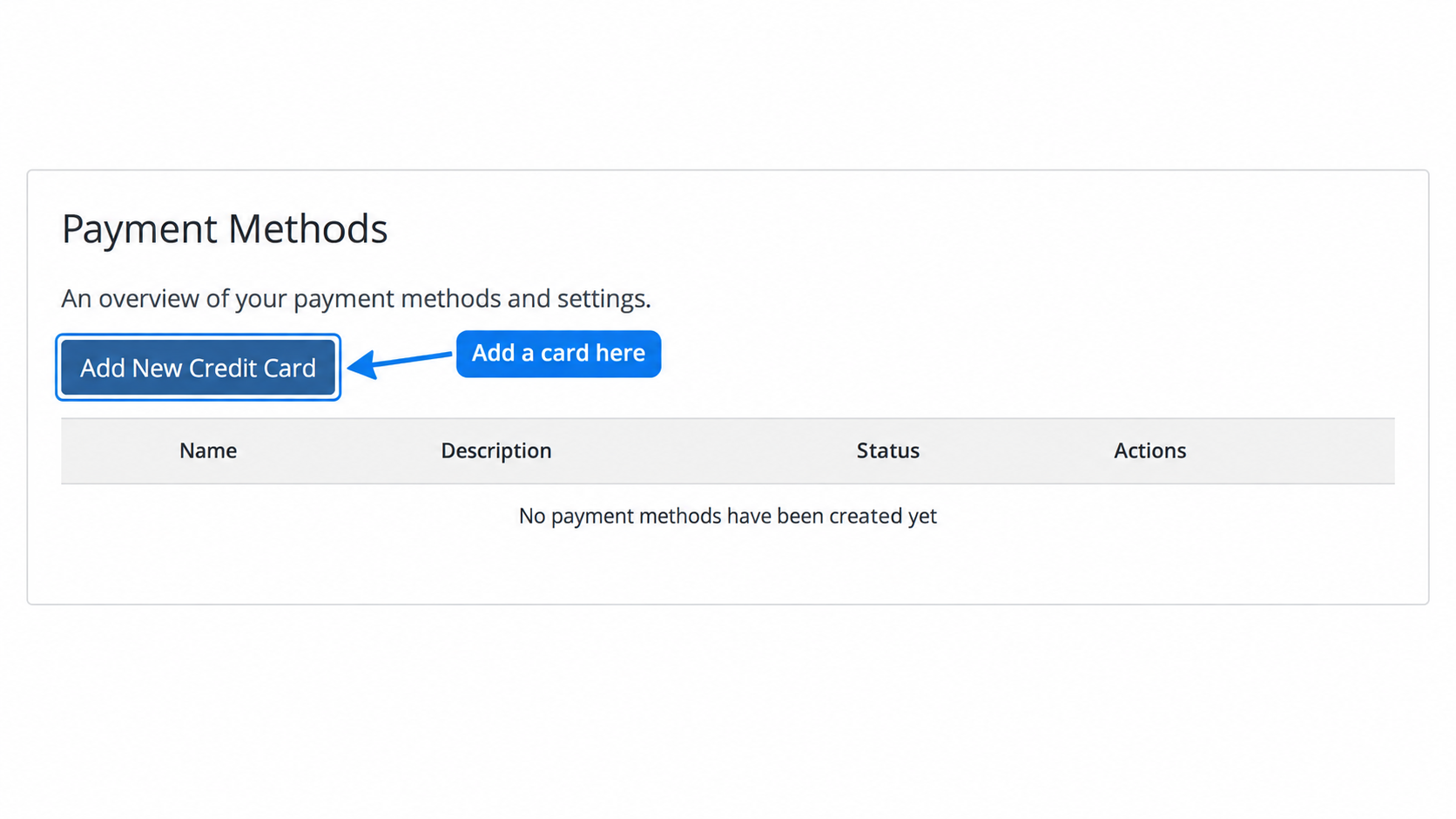
Sandbox: this client has no saved payment method. Add New Credit Card starts the separate card-saving flow.
After a successful save, the card appears as a native Pay Method. In this example, Visa-4242 is Active - Default, ready to be selected for future invoice payments. If your list stays empty, follow the troubleshooting steps.
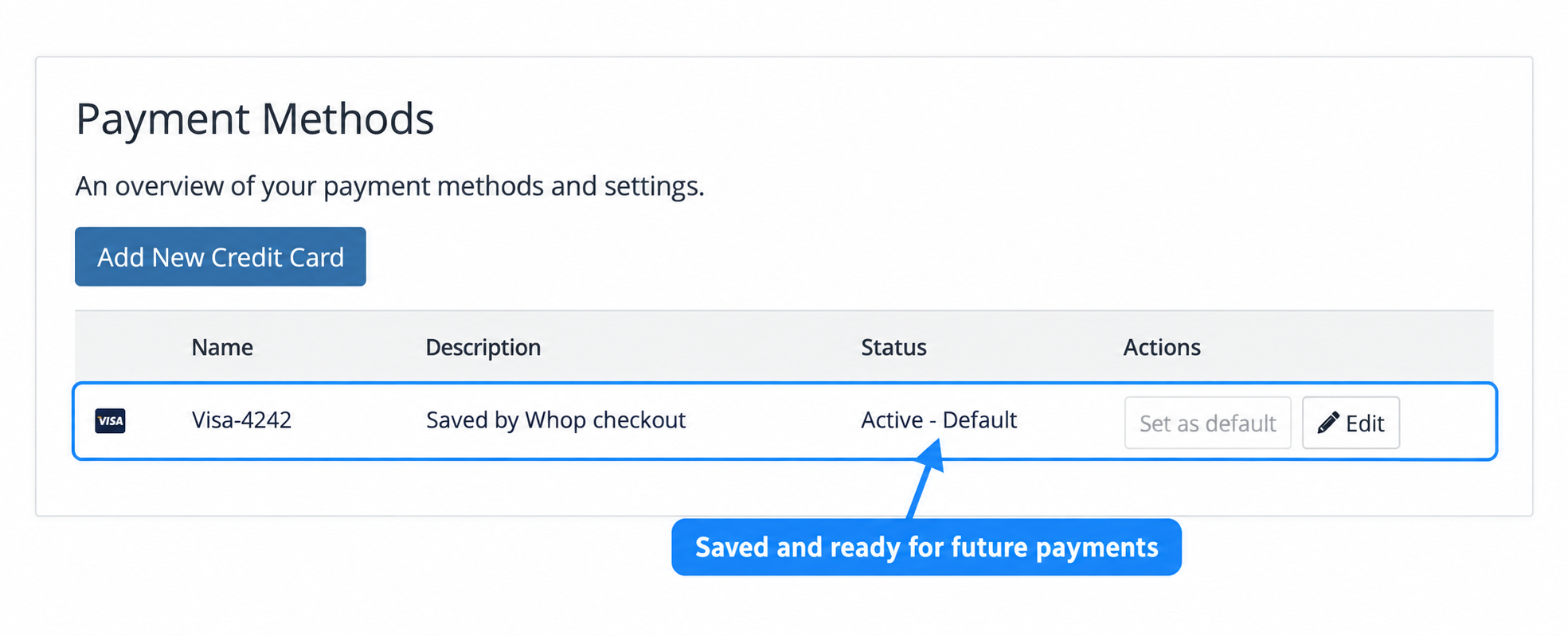
Sandbox: the completed save creates one card in Payment Methods.
Add a card without paying
A customer can save a card before any invoice is due. In the client area, open Account > Payment Methods, choose Add New Credit Card, and pick Whop Payments if WHMCS offers a choice of gateways. An administrator can do the same from a client's summary page with Add Credit Card. Both open a short page titled Save a card, holding Whop's own secure card form, with a note that nothing is charged yet.
Whop may ask for a bank challenge here, governed by the 3D Secure when saving a card setting. Even at its strictest option, a challenge is not guaranteed: the decision belongs to the customer's bank, not to WHMCS or Whop. A required challenge needs the cardholder present, so an administrator cannot complete it on the customer's behalf. Once Whop confirms the card is saved, the customer returns to Payment Methods and the administrator returns to the client's summary. If the page cannot confirm the save right away, that is not a decline: the card may still appear moments later, so check Payment Methods before trying again.
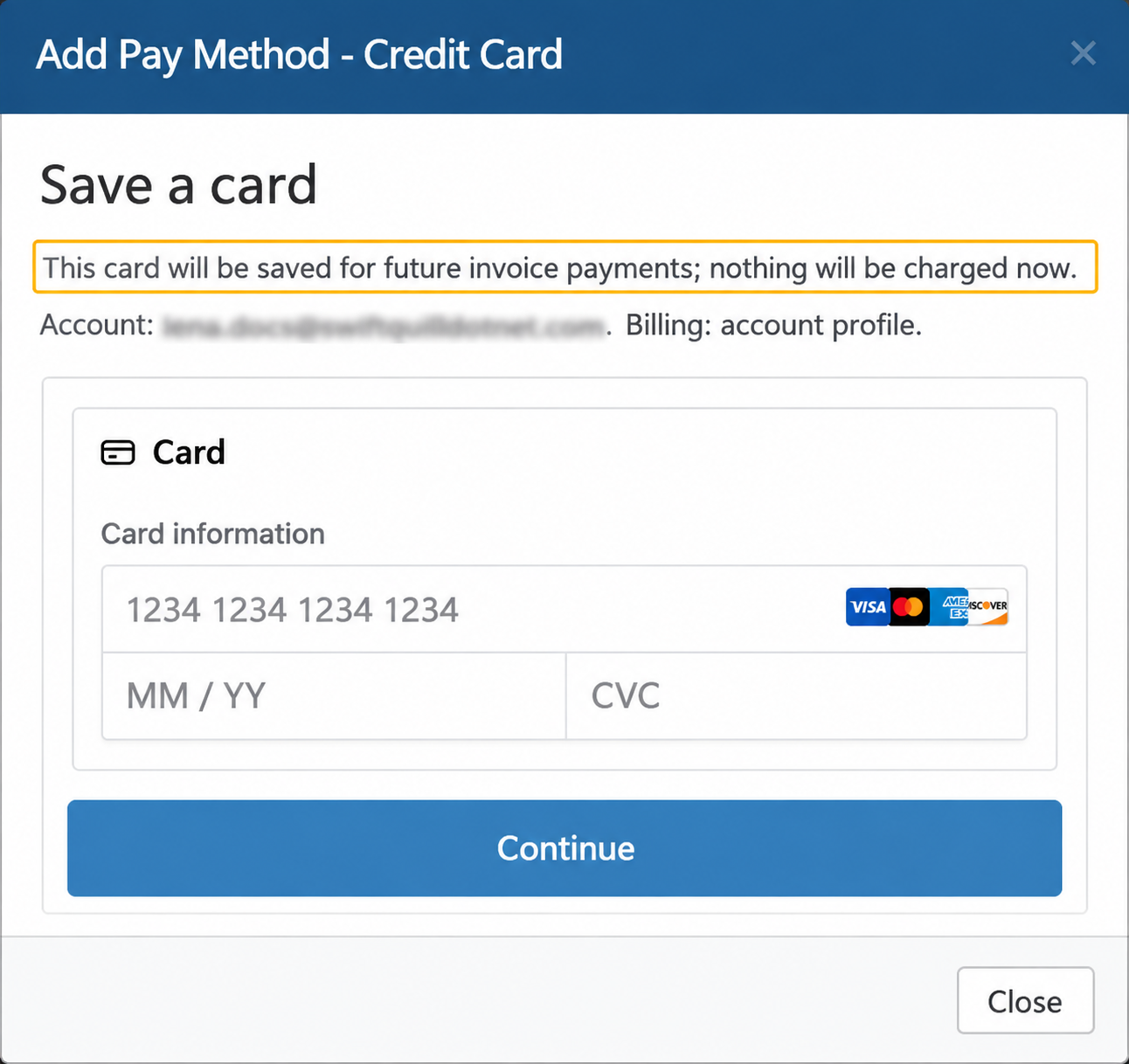
Sandbox: Add Credit Card opens the secure Save a card form without charging an invoice.
Review the saved card
In the admin client summary, select the card under Pay Methods to open Pay Method Details. You can edit its description, billing address and Use by Default setting. The masked card number and expiry identify the saved card; changing the actual card requires adding a new one.
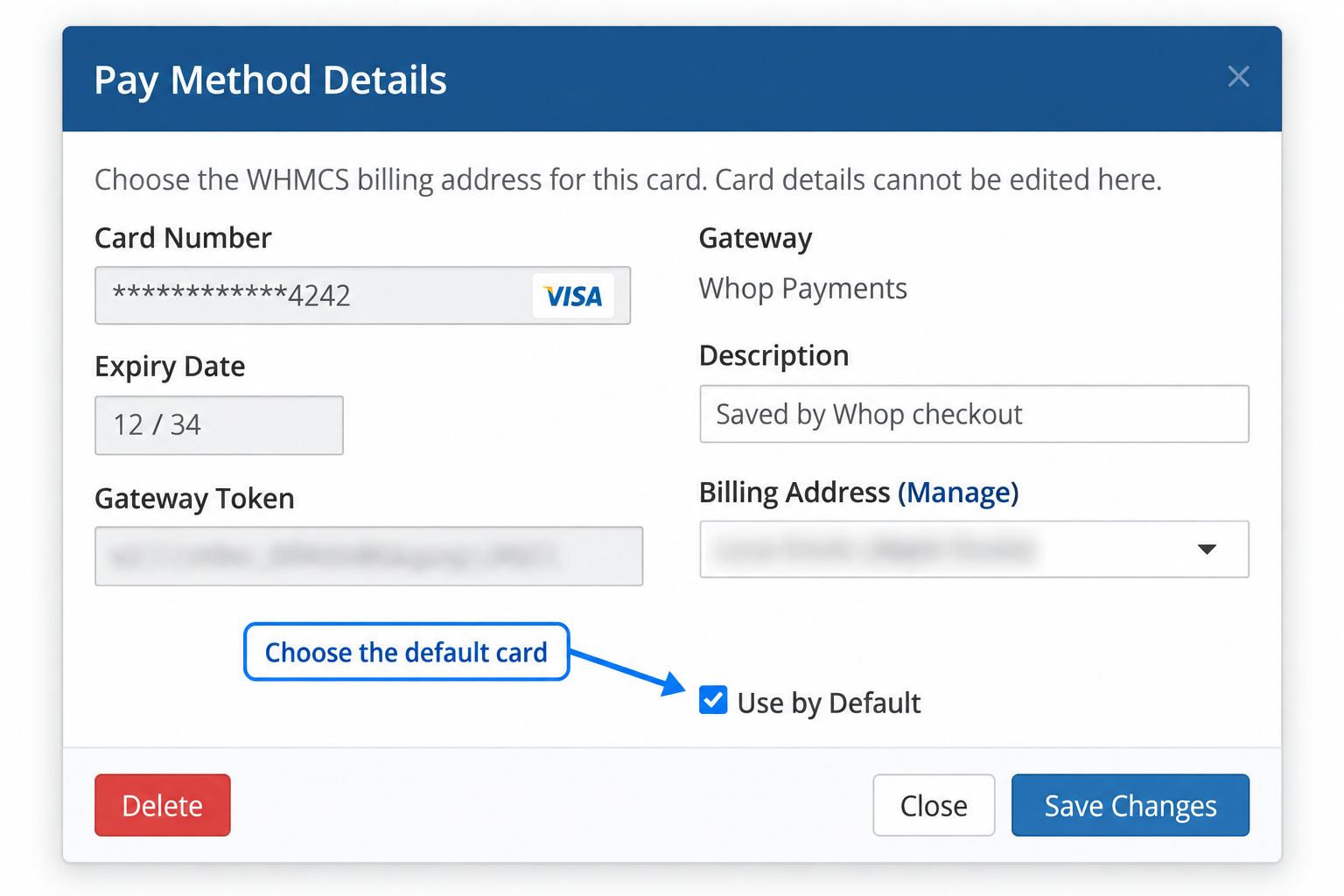
Sandbox: Use by Default chooses the card WHMCS normally uses for future collection.
Four ways a renewal invoice gets paid
WHMCS creates a new invoice for each billing period. Whop never sees a subscription and has no idea a charge is a renewal; each charge is one Whop payment against one WHMCS invoice.
| Who acts | What happens |
|---|---|
| WHMCS, automatically | When WHMCS's automation settings say to collect, WHMCS's own automatic collection charges the client's saved card. |
| The customer | Selects an existing saved card on the invoice and clicks Submit Payment. |
| The customer | Pays with a new card, or through Whop Checkout. |
| An administrator | Clicks Attempt Capture on the invoice. |
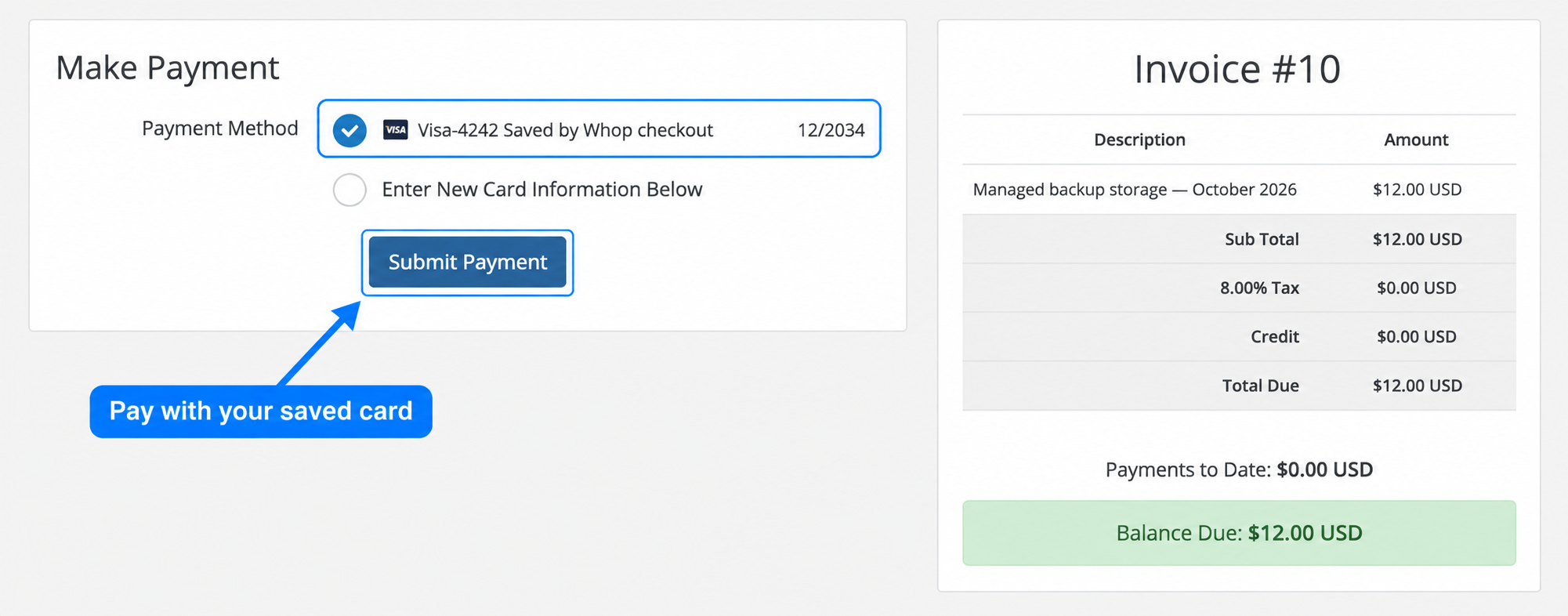
Sandbox: select Visa-4242 and choose Submit Payment to pay the displayed balance without entering the card again.
WHMCS owns the billing decisions: when to charge, how many times to retry a failed attempt, when to send a reminder, and when to suspend a service for non-payment. Whop Payments only carries out the one charge WHMCS asks for and reports back whether it succeeded. There are no Whop subscriptions in this integration: WHMCS creates each renewal invoice, and each Whop payment is a one-time payment against that one invoice.
With a confirmed reusable card, for example, a hosting invoice for $49.95 is due on January 1st, and the installation's automation settings are set to collect on the due date. WHMCS generates the invoice a week earlier, and on January 1st automatic collection charges the client's default saved card for $49.95 through Whop Payments. Whop confirms the payment, and the invoice turns Paid the same day. If the card had been declined, WHMCS's own retry schedule, not the module, decides when to try again.
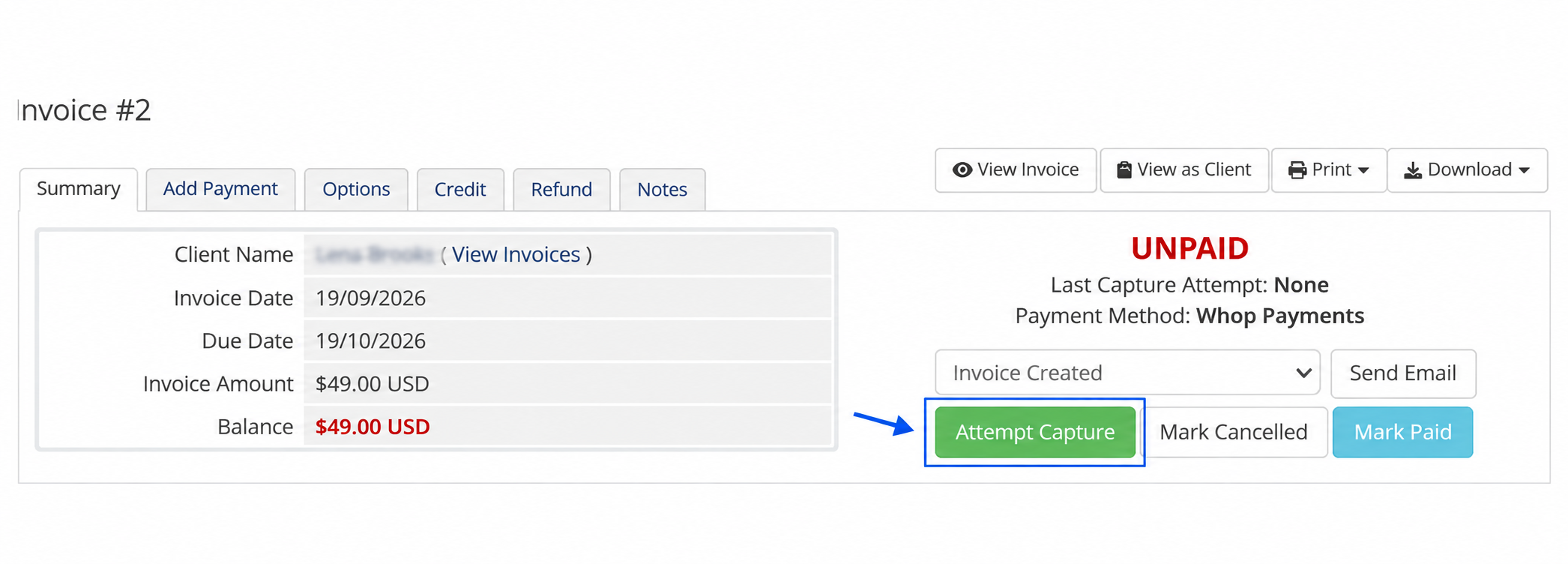
Sandbox: Attempt Capture is on the admin invoice summary. Confirm a reusable Whop card exists before using it.
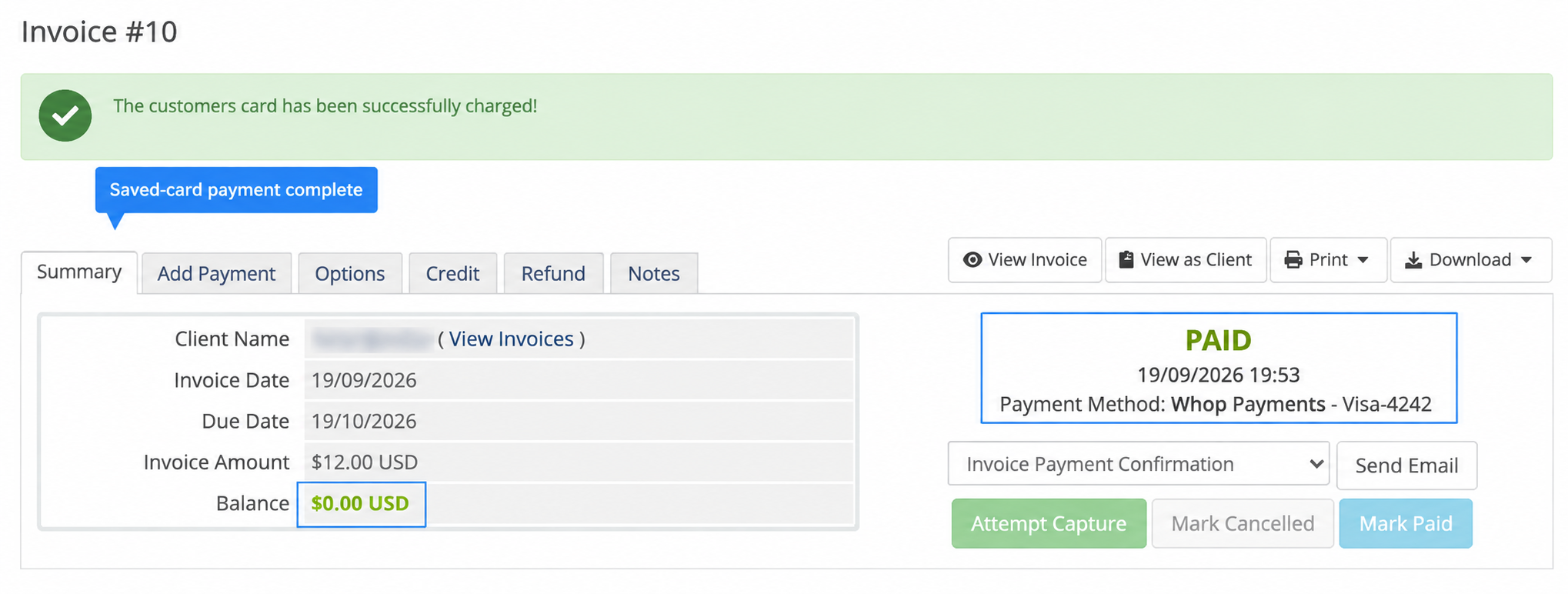
Sandbox: Attempt Capture charged the saved Visa for $12.00. The invoice is Paid, its balance is $0.00, and its Ledger contains one payment.
Delete a saved card
- In the admin area, open the client summary and select the card under Pay Methods.
- In Pay Method Details, choose Delete.
- Confirm with the red Delete button.
- Check that the card disappears from Pay Methods and the customer’s Payment Methods page.
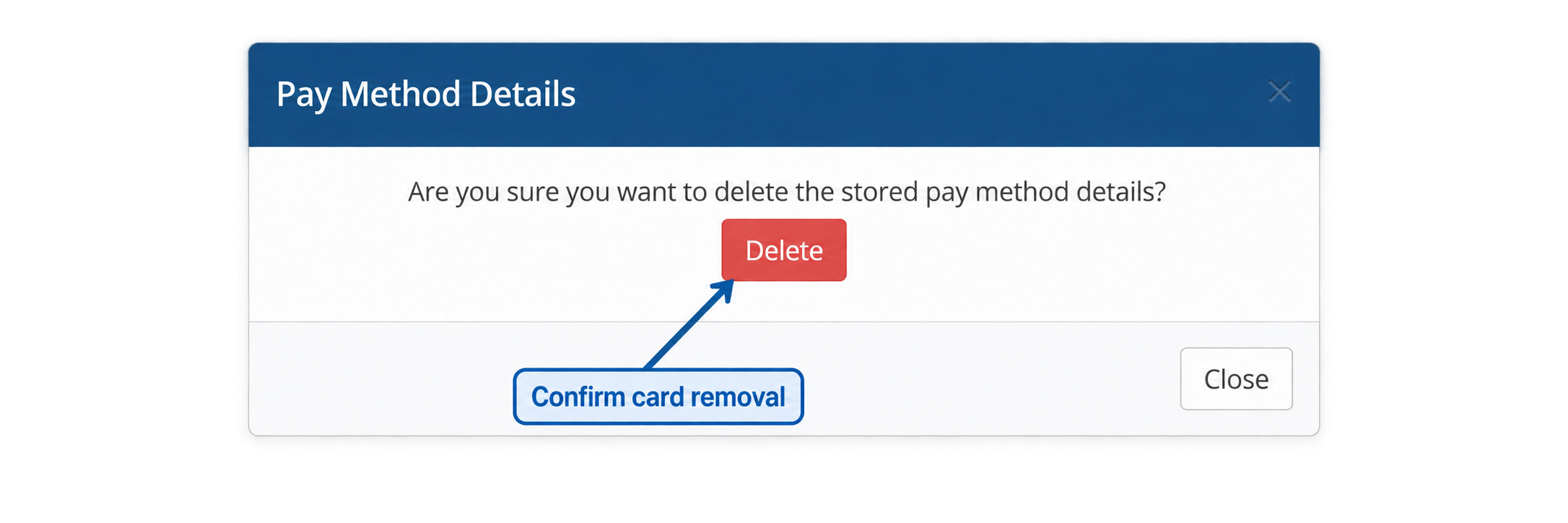
Sandbox: deleting this card removed it from both WHMCS and Whop. Its completed invoice payment stayed Paid and kept its transaction.
Customer removal is available only when WHMCS’s Allow Client Pay Method Removal setting permits it. If Whop refuses deletion, WHMCS retains the card and shows the error. Force delete removes only the WHMCS reference; it does not confirm removal at Whop.
What to expect
- The invoice turns Paid as soon as a charge succeeds.
- A charge that is still processing shows Payment Pending on the invoice and turns Paid once Whop settles it.
- A saved-card charge sends no request for a 3D Secure challenge, so it relies on Whop's account-wide policy. If the customer's bank insists on authentication anyway, the charge is declined, and WHMCS shows the reason on the failed attempt: "This saved card requires customer authentication. Please pay the invoice manually." A saved-card charge that fails outright, for this reason or any other, returns the invoice to Unpaid with its balance intact and no transaction created. The customer then pays the invoice once with a new card, which can complete a bank challenge on the spot.
- On a saved Whop card, WHMCS lets you change the Default flag, the Description, and the billing contact. The card number, expiry date and security code are read-only. To change the actual card, save a new one and remove the old one.
- Paying one invoice with a different card does not change the client's default card elsewhere. A newly saved card keeps the billing contact that was selected when it was saved.
- Removing a card asks Whop to delete it first, and WHMCS removes its own copy once Whop confirms. If Whop refuses, WHMCS keeps the card and shows you the reason, so you can fix it in Whop and try again. Force delete removes the WHMCS copy on its own, which is enough to stop the card being charged from WHMCS. Client-area removal depends on WHMCS's Allow Client Pay Method Removal setting; admin-area removal is always available.
- A card saved while Sandbox is selected cannot be charged while Live is selected, and the reverse; it still appears in the list either way. Replacing the API key with a new key for the same Whop business keeps existing saved cards working. A key for a different business is refused.
Settings involved
- 3D Secure when saving a card (Payment Gateways > Whop Payments): decides whether Whop asks for a challenge when a card is saved without a payment. See Settings reference.
- WHMCS's own Automation Settings, including its retry schedule, decide when a renewal invoice is generated and when collection is attempted again after a decline.
- WHMCS's cron job must run normally for automatic collection to happen at all, and for a charge that Whop is still settling to finish on its own. Attempt Capture is a manual action that runs the moment you click it.
- WHMCS's own Allow Client Pay Method Removal setting decides whether a customer can remove a saved card themselves; admin removal is always available.
Related: Paying an invoice, The two gateways side by side, Troubleshooting and support.
Updated 16 days ago